fork() 系统调用
系统调用 fork() 用于创建新进程。
#include <stdio.h>
#include <stdlib.h>
#include <unistd.h>

int main(int argc, char *argv[]) {
	printf("hello world (pid: %d)\n", (int) getpid());

	int rc = fork();
	if (rc < 0) { // fork failed; exit
		fprintf(stderr, "fork failed\n");
		exit(1);
	} else if (rc == 0) { // child (new process)
		printf("hello, I am child (pid: %d)\n", (int) getpid());
	} else { // parent goes down this path (main)
		printf("hello, I am parent of %d (pid: %d)\n", rc, (int) getpid());
	}

	return 0;
}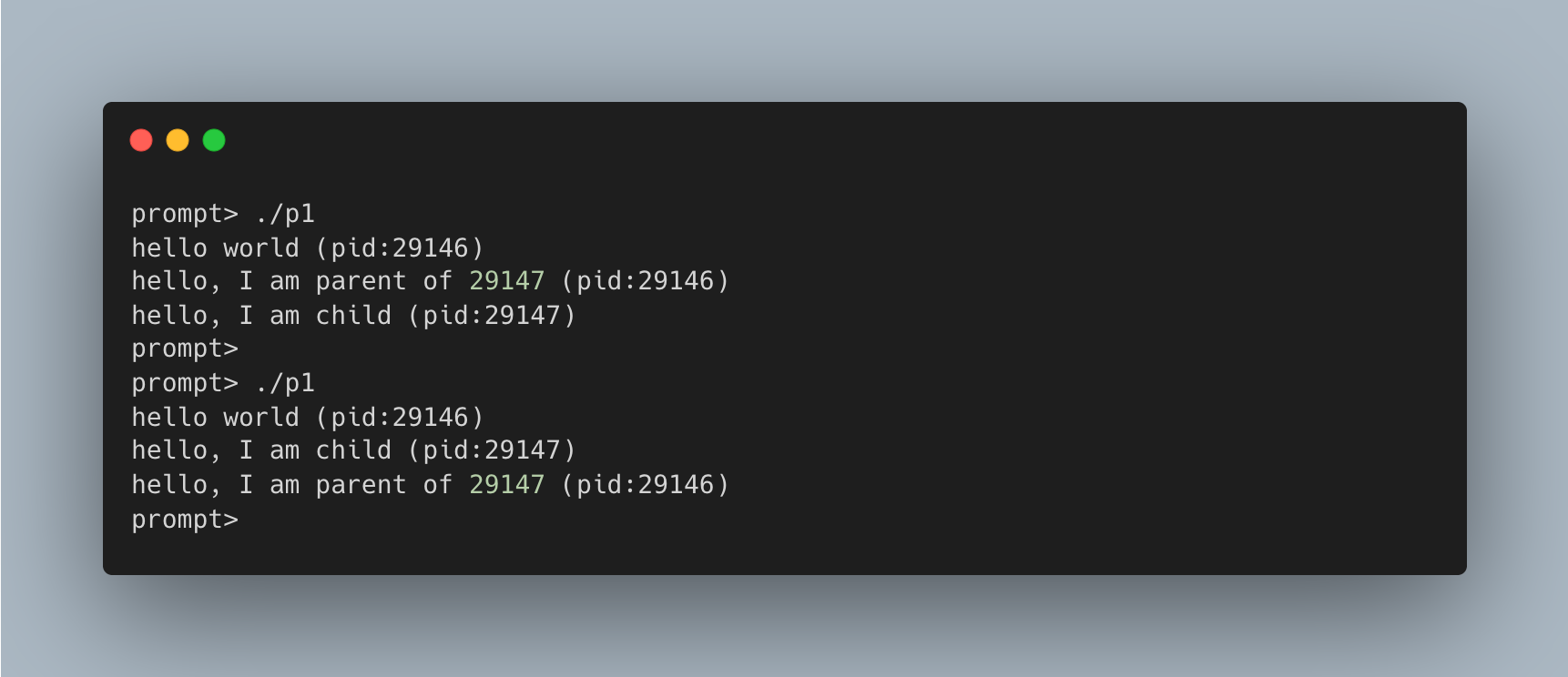
程序首先输出 hello world 及其进程标识符(PID)。
在 UNIX 系统中,PID 是操作进程(如终止进程)的唯一标识。
随后调用的 fork() 系统调用用于创建新进程。新创建的 子进程(child) 几乎是 父进程(parent) 的副本(拥有独立的内存空间和寄存器),但它不会从 main() 开始执行,而是直接从 fork() 返回。关键区别在于 fork() 的返回值:
- 父进程 获得的返回值是新创建子进程的 PID。
- 子进程 获得的返回值是 0。
这使得我们可以通过返回值区分父子进程并执行不同的代码逻辑。
此外,程序的输出顺序是不确定的(non-deterministic)。fork() 之后,CPU 调度程序(scheduler)决定是父进程先运行还是子进程先运行。这种不确定性在并发编程中会导致许多复杂的问题。
wait() 系统调用
有时候父进程需要等待子进程执行完毕,这项任务由 wait() 系统调用完成(或者更完整的兄弟接口 waitpid())。
#include <stdio.h>
#include <stdlib.h>
#include <unistd.h>
#include <sys/wait.h>

int main(int argc, char *argv[]) {
	printf("hello world (pid: %d)\n", (int) getpid());

	int rc = fork();
	if (rc < 0) { // fork failed; exit
		fprintf(stderr, "fork failed\n");
		exit(1);
	} else if (rc == 0) { // child (new process)
		printf("hello, I am child (pid: %d)\n", (int) getpid());
	} else { // parent goes down this path (main)
		int wc = wait(NULL);
		printf("hello, I am parent of %d (pid: %d) (wc: %d)\n", rc, (int) getpid(), wc);
	}

	return 0;
}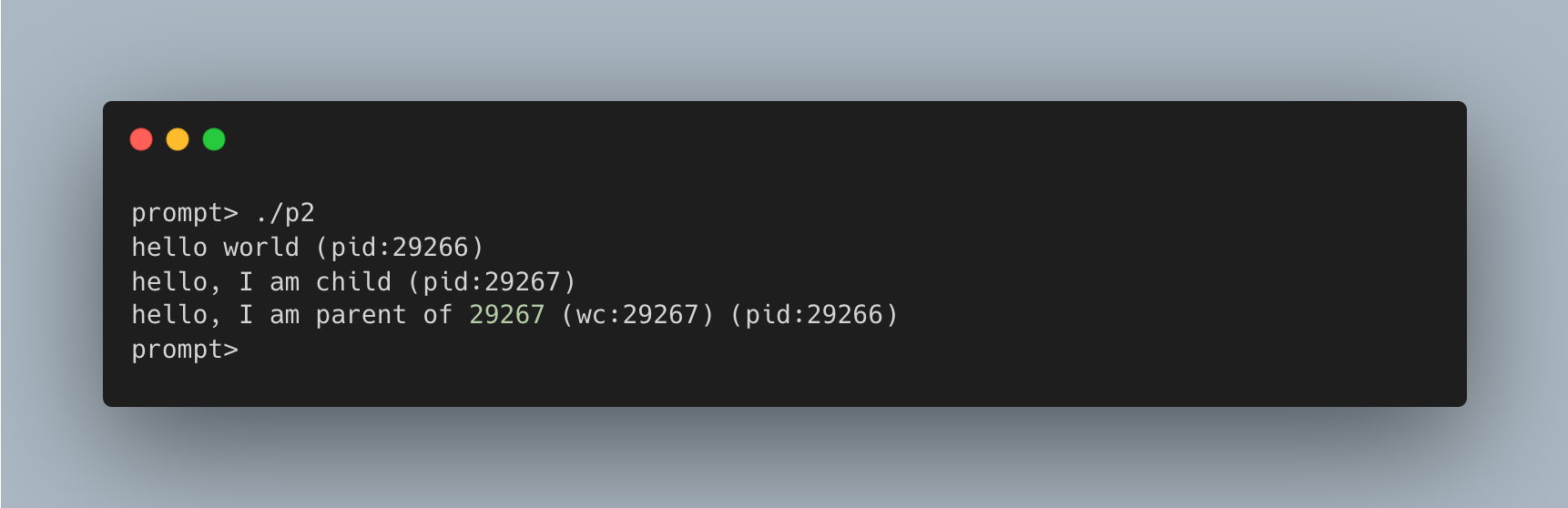
通过在父进程中调用 wait(),我们消除了输出的不确定性,确保子进程总是先于父进程输出。无论 CPU 调度程序先运行哪个进程:
- 若子进程先运行:它直接输出结果。
- 若父进程先运行:它会立即调用
wait()并阻塞,直到子进程运行结束。
因此,父进程总是在子进程结束后才继续执行并输出信息。
exec() 系统调用
#include <stdio.h>
#include <stdlib.h>
#include <unistd.h>
#include <string.h>
#include <sys/wait.h>

int main(int argc, char *argv[]) {
	printf("hello world (pid: %d)\n", (int) getpid());

	int rc = fork();
	if (rc < 0) { // fork failed; exit
		fprintf(stderr, "fork failed\n");
		exit(1);
	} else if (rc == 0) { // child (new process)
		printf("hello, I am child (pid: %d)\n", (int) getpid());

		char *myargs[3];
		myargs[0] = strdup("wc"); 			// program: "wc" (word count)
		myargs[1] = strdup("p3.c"); 		// argument: file to count
		myargs[2] = NULL;						// mark end of array
		execvp(myargs[0], myargs);	// runs word count program
		printf("this shouldn't print out");
	} else { // parent goes down this path (main)
		int wc = wait(NULL);
		printf("hello, I am parent of %d (pid: %d) (wc: %d)\n", rc, (int) getpid(), wc);
	}

	return 0;
}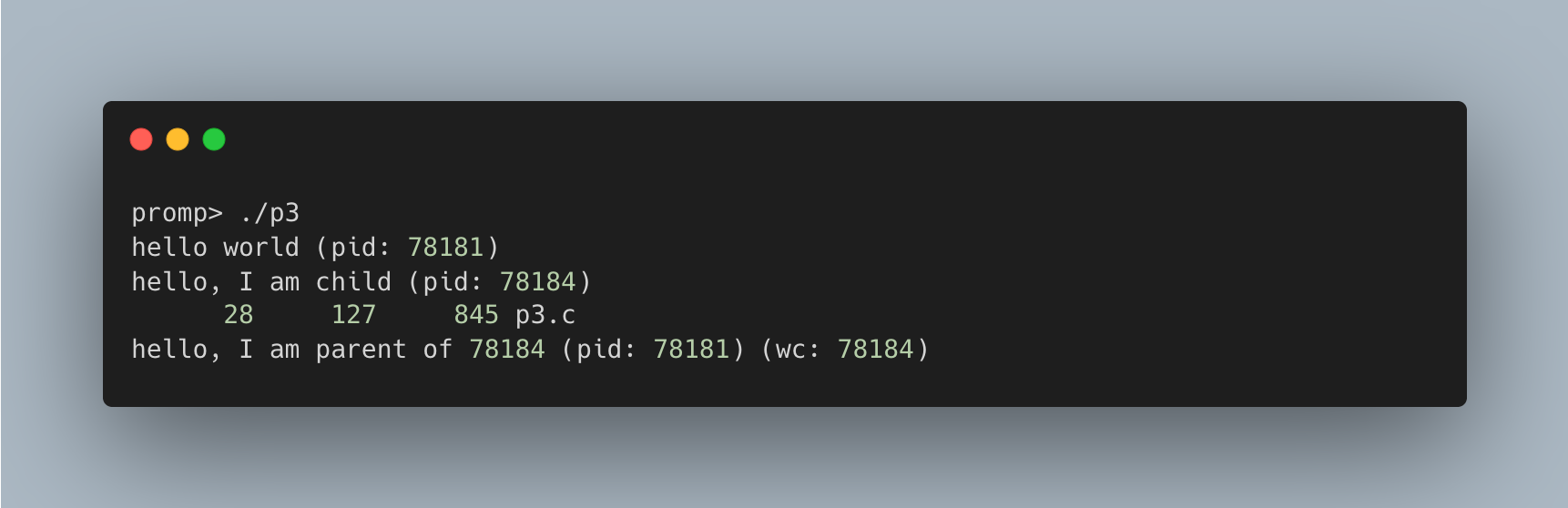
在此示例中,子进程调用 execvp() 运行 wc 程序统计 p3.c 文件。
exec() 系统调用不同于 fork(),它不会创建新进程,而是直接替换当前正在运行的程序:
- 覆写:它加载新的可执行程序(如
wc),覆写当前进程的代码段、数据段、堆和栈。 - 执行:操作系统从新程序的入口点开始执行,并传递参数。
- 不返回:成功的
exec()调用永远不会返回,因为原程序的代码已被完全替换,就像从未存在过一样。
为什么这样设计 API
fork() 和 exec() 的分离设计看似奇怪,但在构建 UNIX shell 时极其关键。它允许 shell 在 fork() 之后、exec() 之前运行代码,从而修改环境(如文件描述符),轻松实现重定向和管道等功能。
重要的是做对事(LAMPSON 定律)Lampson 曾说:“抽象和简化都不能替代做对事。”
fork()和exec()的组合既简单又极其强大,证明 UNIX 的设计师们“做对了”。
Shell 本质上也是一个用户程序。它循环执行:显示提示符 → 等待输入 → fork() 创建子进程 → exec() 执行命令 → wait() 等待命令结束。
这种分离使得重定向变得简单。例如:
prompt> wc p3.c > newfile.txtShell 在创建子进程后,先关闭标准输出(STDOUT),然后打开目标文件。由于 UNIX 从 0 开始寻找可用文件描述符,新打开的文件会成为标准输出。随后调用 exec(),程序(如 wc)的输出就会自动写入文件而非屏幕。
以下代码展示了这一过程:
#include <stdio.h>
#include <stdlib.h>
#include <unistd.h>
#include <string.h>
#include <fcntl.h>
#include <sys/wait.h>

int main(int argc, char *argv[]) {
	int rc = fork();
	if (rc < 0) { // fork failed; exit
		fprintf(stderr, "fork failed\n");
		exit(1);
	} else if (rc == 0) { // child: redirect standard output to a file
		close(STDOUT_FILENO);
		open("./p4.output", O_CREAT | O_WRONLY | O_TRUNC, S_IRWXU);

		// now exec "wc"...
		char *myargs[3];
		myargs[0] = strdup("wc");			// program: "wc" (word count)
		myargs[1] = strdup("p4.c");			// argument: file to count
		myargs[2] = NULL;						// mark end of array
		execvp(myargs[0], myargs);	// runs word count program
	} else {
		int wc = wait(NULL);
	}

	return 0;
}
运行上述程序后,屏幕无输出,结果被重定向到了 p4.output 文件中。
UNIX 管道(pipe)也是类似原理:一个进程的输出连接到内核管道,作为另一个进程的输入。这允许将多个命令串联(如 grep -o foo file | wc -l)。
阅读 man 手册man 手册是 UNIX 系统最原生的文档。花时间阅读 man 手册是系统程序员成长的必经之路,它能帮你了解系统调用细节,避免尴尬的 “RTFM”(read the f**king man)。